
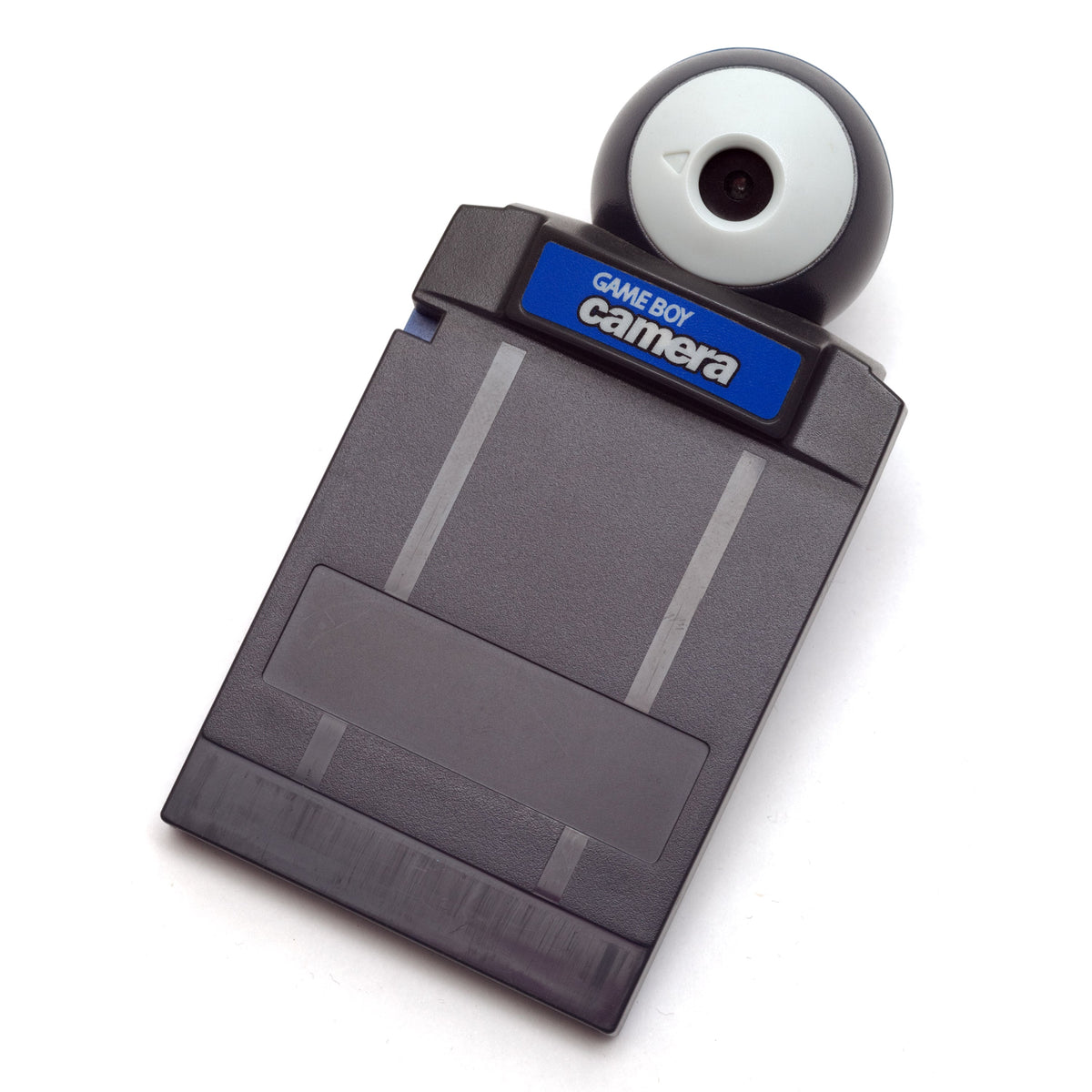
In 1998, Nintendo put a camera in a Game Boy cartridge slot and gave players somewhere to send the results besides the screen. The Game Boy Camera could take a picture, turn it into a miniature project, and hand it to the Game Boy Printer as a sticker. It is a small chain of hardware, but it raises a surprisingly modern ownership question: what part of a digital creation is still yours when the devices and supplies age?
Nintendo’s hardware history places the Camera and Printer together in 1998. That pairing matters more than a contest over which handheld took the first novelty snapshot. The camera supplied an image-making tool, while the printer gave the image an object you could put in a notebook or pass to somebody who did not own a Game Boy.
The cartridge was a pocket studio, not just a lens
Nintendo describes the Camera as a cartridge that takes black-and-white pictures. Its accessories page also lists built-in cutting, merging, character additions and short animations made by joining frames. Photography was only the starting material. The interesting design choice was letting players edit and play with the image on the same handheld that captured it.
The Camera’s lens rotates, so the device can face outward or back toward the person holding it. Nintendo’s Dutch technical support page lists room for 30 pictures in the cartridge’s memory. That is a meaningful limit, not an invitation to assume every old cartridge still contains 30 recoverable photos. A collector finding one today should treat any existing images as potentially unique before deleting, overwriting or experimenting with them.

That tiny car photo shows why the format is more than a numerical resolution. Contrast and silhouette do much of the work. The viewer can recognize the subject, but small details collapse into the Camera’s stark patterning. There is no need to stretch the file into a fake high-definition screenshot to make its point; the original dimensions are part of the artifact.
Printing changed the audience
The Game Boy Printer was not limited to Camera portraits. Nintendo says compatible games could also send screenshots, character images and high-score lists to it, and it told buyers to look for a Printer icon on supported Game Paks. That turns the printer into a small output device for game data as well as family photos. A score could leave the cartridge and become a sticker somebody else could see without loading the game.

Nintendo’s accessory description specifies adhesive-backed Printer paper in several colors. The color of the roll did not turn the Camera into a color camera; it changed the physical paper carrying the monochrome print. The page’s claim that each roll could print 180 individual pictures is a historical specification, not a guarantee for an old or partially used roll today.
For present-day collectors, the camera, printer, compatible connection, usable paper and a surviving print are different things. Owning one piece does not prove the whole workflow still functions. If you are buying a set to use, check which items are actually included and whether the seller has demonstrated the exact functions you care about. If you are collecting an existing sticker, its subject and provenance can be more important than whether a printer in the same lot still powers on.
The saved image and the printed sticker tell different stories
Nintendo’s technical support lists SRAM as the Camera’s picture memory. A photograph of an opened Camera cartridge also shows a coin-cell battery on its circuit board. Together, those are reasons to regard saved pictures as a preservation concern, not proof that a particular secondhand unit is about to fail or that any home repair is safe. We have not opened or tested a cartridge for this article.

The printed sticker has the opposite strength: it no longer needs the cartridge to display its image. But paper is its own object with its own condition, and a print does not carry the Camera’s editable source image. If an owner wants to keep the memory as well as the collectible, it is sensible to document the print clearly and avoid casually replacing images in the cartridge. Any data-extraction or battery work should be evaluated by someone qualified for the specific hardware, with the risk of losing stored pictures understood first.
Why this little system remains distinctive
Camera phones made casual photography commonplace; the Game Boy Camera was interesting for a different reason. It treated a personal image as something to manipulate inside a game system, then gave the result a physical destination. The same gadget could make a face into an animation, decorate an image with Nintendo characters, or turn a high score into something adhesive. The output was deliberately small and social.
The practical way to appreciate it now is to separate three questions. Can the specific Camera still capture and retain images? Can the Printer and its supplies produce an output? And what already exists on a cartridge or in a box of old stickers that deserves to be recorded before anyone resets, repairs or discards it? Those questions make a better collecting plan than assuming that an attractive accessory photo proves a complete working kit.
For the broader handheld picture, see our Game Boy compatibility guide. Our used-games buying guide covers how to read condition details before ordering older hardware or software. There is no Camera or Printer product recommendation here because Zypher’s current catalog did not show a matching available listing when checked on October 15.
Sources checked October 15, 2026: Nintendo hardware history, Nintendo Game Boy accessories, and Nintendo Netherlands Camera technical support. Featured Camera photo by Ashley Pomeroy, CC BY-SA 4.0, unaltered. Inline image rights and credits are linked in each caption.


