
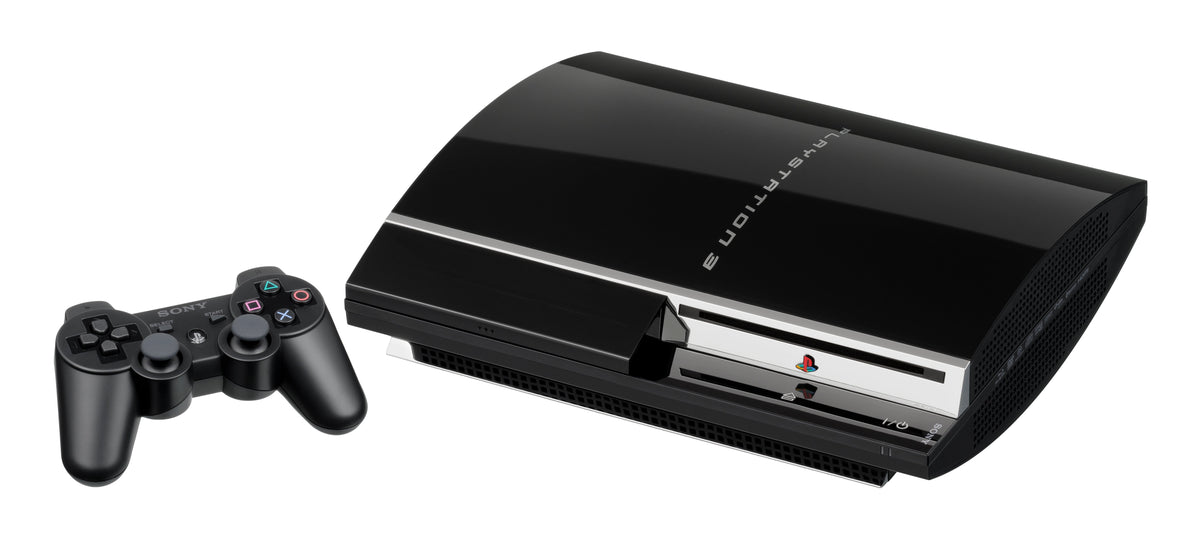
A used PlayStation 3 that reaches the XMB is not automatically a healthy console. Before a return window closes, the useful question is whether the machine can repeat the jobs you actually bought it for: start cleanly, hold a stable picture, read a known-good game, create and reload a save, connect to a network, and keep its controller working without a cable.
This is a proof sequence, not a repair tutorial. Gather one known-good HDMI cable and display, a data-capable Mini-USB cable, a genuine or already-proven controller, and a clean PS3 game disc. Keep the seller's return terms nearby, and do not open the console or erase anyone else's data just to finish a test.
Record the exact console before turning it on
Photograph the rear or underside label, including the CECH model code and serial number, then note every accessory that arrived. That code matters because “PS3” covers several hardware families and storage configurations. Our console revision guide explains why the model label is more reliable than a listing photo or the word “Slim.”
Check the case, ports, power connector, disc opening or sliding lid, and controller cable without forcing anything. Cosmetic wear is not the same as a functional failure, but a cracked port, loose power connection, or lid that does not close correctly belongs in the evidence you keep for the seller.

Start cold and prove the display path
Begin with the system fully powered off and use the known-good HDMI path. Confirm that the PS3 reaches the XMB, stays on, and keeps a stable picture while you move through menus. Note unexpected shutdowns, repeated restarts, missing audio, persistent visual corruption, or a signal that drops without anyone touching the cable.
If there is no picture, change only one known-good item at a time: first the input selection, then the cable, then the display connection. A single controlled swap tells you more than replacing everything at once. For older displays or non-HDMI setups, use our model-first retro console video guide before deciding the console itself has failed.
Test the controller twice
Connect the controller with a data-capable Mini-USB cable and establish that the console recognizes it. Check the directional pad, both sticks, face buttons, shoulder buttons, Start, Select, and the PS button in the XMB and in a game. A charging-only cable can muddy this test, so use a cable you have already proved can carry data.
Then disconnect the cable and repeat the important inputs wirelessly. This separates “the controller works while tethered” from “the controller and console maintain a wireless connection.” If a second proven controller works normally, keep the first controller as the likely problem instead of condemning the console.

Use a real PS3 game to test the drive
Insert a clean, known-good PS3 game. Wait for its icon to appear, launch it past the opening screens, load into playable content, and stay there long enough to force more than a quick directory read. Listen for normal drive activity, but base the decision on repeatable recognition and loading rather than one unfamiliar sound.
If DVD or Blu-ray playback matters to you, test those formats separately with known-good discs. A PS3 game launch does not prove every media use you care about. PlayStation 2 disc support is also model-specific, so do not treat a rejected PS2 disc as a universal PS3 drive failure; check our PS3 backward-compatibility guide against the exact CECH code first.

Check storage and make a disposable save
Open Settings > System Settings > System Information. Sony's manual says this screen reports the system software version, IP address, MAC address, and remaining storage capacity. Record the version and free space without assuming the advertised drive size equals usable free capacity.
Launch the test game, create a fresh save, quit to the XMB, and confirm the entry appears in Game > Saved Data Utility (PS3). Reload it once if the game allows. That short loop checks more than a menu estimate because the system must write, list, and read the data back.
Test networking without confusing it with account access
Run Settings > Network Settings > Internet Connection Test on a network you are authorized to use. The official manual lists results for IP address acquisition, Internet connection, PlayStation Network, UPnP, and NAT type. A credential or account sign-in problem is not automatically a failed Wi-Fi or Ethernet interface, so record which stage actually fails.
Sony's US support page listed PS3 system software 4.93 when checked on October 13, 2026. It also states that an update requires at least 200 MB of free space and renews the Blu-ray player's encryption key. Do not start an update in the middle of a return-window test unless the seller permits it and the system has stable power, storage, and network access.
Do not reset the console before saving your evidence
Keep photos of the model label and included items, plus a short video showing boot, stable display, disc recognition, and the saved-data entry. Record the system software version, remaining storage, test date, and the exact fault if something failed. Evidence should show your own test, not expose a previous owner's account, messages, saves, or other personal information.
If another person's account or data remains on the console, stop browsing and ask the seller to remove it or perform the appropriate reset. A final initialization may be sensible after the hardware passes and ownership is settled, but erasing first destroys information that can help you explain a return.
A practical 20-minute PS3 test order
- Photograph the CECH label, serial number, accessories, ports, and exterior condition.
- Cold-start the console on one known-good display path and watch for stable video and audio.
- Test every important controller input while wired, then repeat the essentials wirelessly.
- Launch a known-good PS3 game from disc into playable content.
- Check System Information and record the software version and remaining storage.
- Create, locate, and reload a disposable save.
- Run the Internet Connection Test and record the exact stage of any failure.
- Save the evidence, compare it with the listing, and only then decide whether to reset or return the system.
What a failed check actually tells you
A failed test narrows the problem; it does not always name the broken part. One cable swap can isolate a display path, one proven controller can isolate an input problem, and one clean known-good disc can reduce uncertainty around the drive. Keep those substitutions controlled and repeat the original check once.
Repeated shutdowns, storage errors, persistent corruption, or a drive that consistently rejects known-good media are not cosmetic quirks. Document the result and use the seller's return process or qualified repair support. The goal is not to win an argument with a twenty-year-old console. It is to know, while you still have options, whether the machine reliably performs the jobs you bought it to do.
Official reference points
- PlayStation 3 System Information
- PlayStation 3 Saved Data Utility
- PlayStation 3 Internet Connection Test
- PlayStation 3 system software support
- PlayStation 3 CECH-4301A/4301C safety and support guide
Image permission record
The four console and controller photographs are unaltered images by Evan-Amos from Wikimedia Commons, where each file is dedicated to the public domain. The exact file pages were checked on October 13, 2026: original PS3, PS3 Slim, PS3 Super Slim, and DualShock 3.
This guide is based on official PlayStation documentation and a repeatable inspection sequence. It is not a claim that Zypher XP personally tested every PS3 revision.


