A retro console video cable is not a universal upgrade. The right choice depends on three things that have to agree: the exact console model, the signal it can output, and the inputs your television or converter can accept. Buying by connector color alone is how collectors end up with a cable that fits one end and produces no usable picture at the other.
This guide gives you a repeatable way to choose among composite, S-Video, component and HDMI-era connections without assuming that every revision of a console behaves the same.
Map the signal path before spending anything
- Read the console model number. Check the label on the hardware, not only the family name on the box.
- Photograph the console's video output. A proprietary AV port can look similar across generations while using a different cable or signal.
- List the television's actual inputs. Label each one as composite, S-Video, component or HDMI. An input marked "out" cannot accept the console's signal.
- Open the manual for the exact model. Confirm the supported cable and any menu setting that must change.
- Only then choose a cable or converter. Its stated input must match the console signal, and its output must match the display.
The four connection types at a glance
| Connection | What to look for | Practical use |
|---|---|---|
| Composite AV | Yellow video plug plus red and white audio plugs | A common standard-definition connection for many older consoles and TVs |
| S-Video | Round multi-pin video plug plus separate audio plugs | A supported option on some consoles and televisions, but not every hardware revision |
| Component video | Green, blue and red video plugs plus red and white audio plugs | A higher-quality analog path on supported systems, sometimes required for progressive-scan modes |
| HDMI | One flat digital connector | The simplest direct path when both the console and display have compatible HDMI ports |

Composite is the baseline, not a mistake
Nintendo's Wii support instructions identify yellow as video, white as left or mono audio, and red as right audio. Sony's PlayStation 2 manual shows the same yellow, white and red arrangement for the supplied AV cable. If an older television has matching inputs, composite is often the fastest way to confirm that a console powers on and sends a picture.
The tradeoff is that composite carries the picture through one video connection. If the console and television both support a better analog format, moving to S-Video or component can produce a cleaner result. Do not treat that as permission to buy any cable advertised as an "upgrade." It still has to match the console's supported output.
S-Video is useful only when both ends support it
S-Video uses a dedicated round video connector, with audio carried separately. Sony's PlayStation 2 guide lists an S-Video cable as an option for a television with an S-Video input. Nintendo also documents an S-Video connection for the standard Wii, while noting that the Wii mini does not support that cable.
That model exception is the important part. A cable can be valid for the console family and still be wrong for one revision. Before buying, check the model label and the manufacturer's connection page rather than relying on a marketplace title.

Component can unlock modes that composite cannot
Component video uses three video plugs: green for Y, blue for Pb or Cb, and red for Pr or Cr. The separate red and white pair handles audio. Nintendo's Wii instructions call out those five connections and say that progressive scan must be enabled after the component cable is connected. Nintendo's resolution guidance also states that the Wii's 480p setting is unavailable unless a Wii Component Video Cable is attached.
The PlayStation 2 has its own setting trap. Sony's manual says a component connection must use the matching Component Video Out mode, Y Cb/Pb Cr/Pr. The same manual ranks component above the supplied AV cable and S-Video as a reference, while warning that the final result depends on the television and connection.
If you are reconnecting a PlayStation 2 for a game such as Gran Turismo 4, keep the original composite cable nearby until component output is configured correctly. A blank screen after a cable swap can be a settings mismatch rather than a dead console.

HDMI does not erase the console's original limits
If the console has a native HDMI output and the television has a compatible HDMI input, start there. If the console only outputs analog video, an adapter or scaler has to accept that specific analog signal before sending HDMI to the display.
Read the converter's supported input list. A composite-to-HDMI device does not automatically accept component or S-Video, even if the plugs can be made to fit through another adapter. Also verify the resolutions and aspect-ratio controls it supports. Conversion can make a signal compatible with a modern display, but it does not recreate image detail that the console never output.
Three model-specific traps worth remembering
- Wii mini: Nintendo says it is compatible only with Wii AV cables, not Wii component or S-Video cables.
- PlayStation 2 component: the console's Component Video Out setting must match the television input.
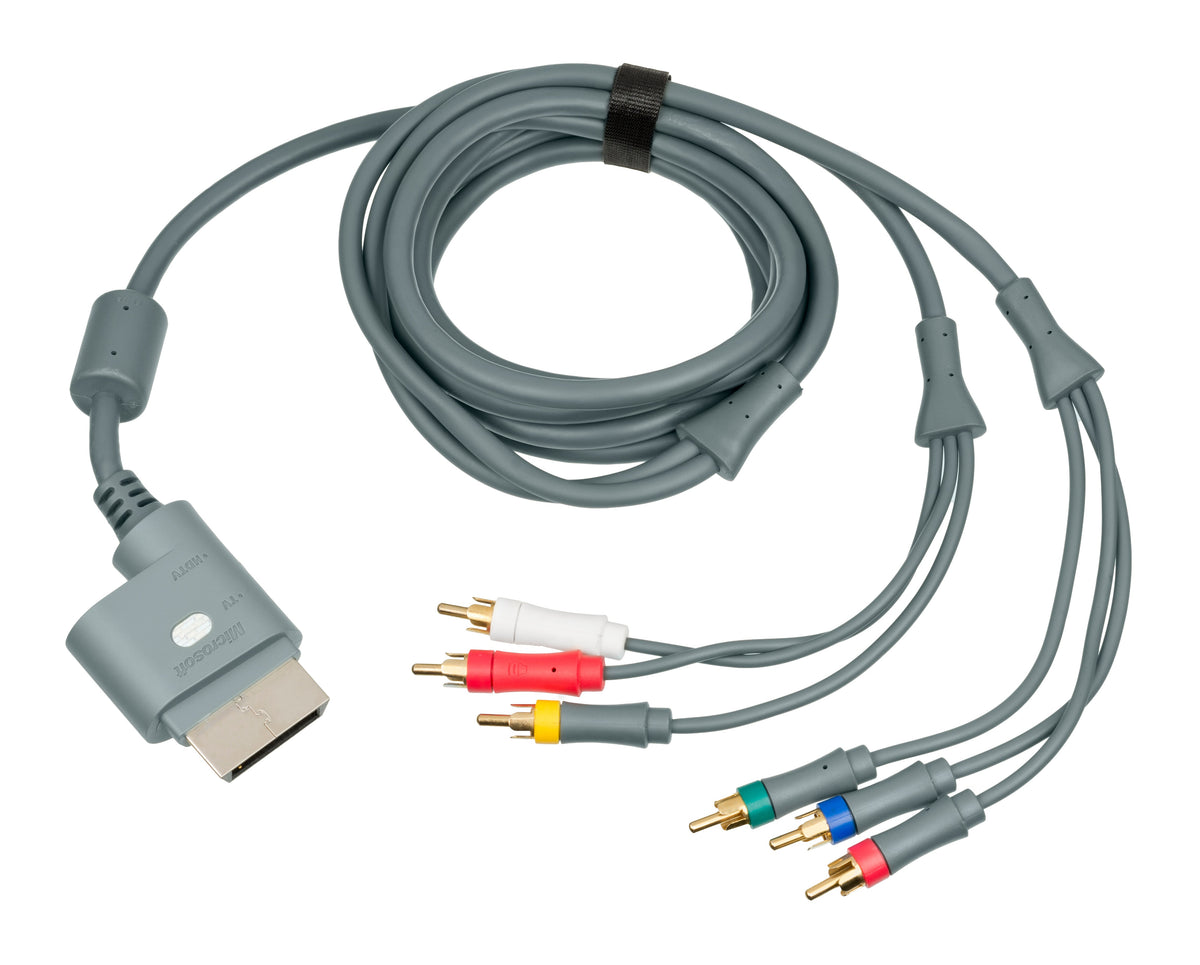
- Xbox 360 analog cables: Microsoft's original HD AV cable offered both component and composite output, while the standard AV cable was composite. Inspect the cable and console instead of assuming every Xbox 360 bundle used the same lead.
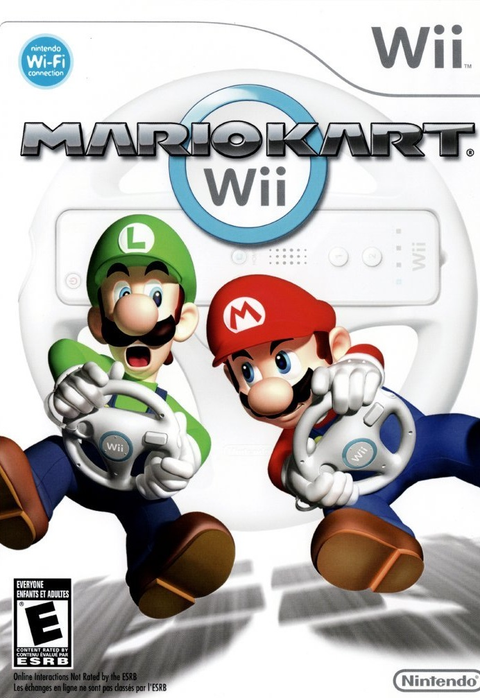
Those distinctions matter when setting up a collection across generations. Mario Kart Wii belongs on Wii hardware with the correct Wii cable, while Halo 3 belongs on Xbox 360 hardware whose available output depends on the console revision and cable.
A no-picture checklist
- Confirm the television is on the exact input used by the cable.
- Check that every plug is in an input, not an output.
- Reseat the console-side connector with power off.
- For component, make sure the red audio plug is not swapped with the red video plug.
- Return to a known-working original cable if a menu setting may be wrong.
- Test one cable, one converter and one display path at a time.
Stop if a connector is bent, corroded, unusually hot or loose inside the console. A damaged port is a repair problem, not a reason to force the plug.
Zypher shop recommendations
- Gran Turismo 4 for PlayStation 2: a current PS2 listing for the AV Multi Out and component-setting example above.
- Mario Kart Wii: a current Wii listing for a system that supports composite, S-Video and component on standard models.
- Halo 3 for Xbox 360: a current Xbox 360 listing for a console family sold with multiple analog cable configurations.
Availability and condition options can change, so the product pages are the current source of truth.
Related Zypher XP guides
- Can the Nintendo Wii Play GameCube Games?
- Can PS2 Play PS1 Games?
- How to Store Retro Video Games Without Ruining Them
Sources
- Nintendo Support: connect Wii using AV cables
- Nintendo Support: connect Wii using S-Video cables
- Nintendo Support: connect Wii using component video cables
- Nintendo Support: adjust Wii TV resolution
- Sony Computer Entertainment: PlayStation 2 SCPH-90002/SCPH-90003 User's Guide
- Xbox Wire: Xbox 360 HD AV and standard AV cable clarification
Media permission record
- Featured image: Microsoft Xbox 360 component and composite AV cables, Evan-Amos, public-domain dedication on the exact file page, checked October 7, 2026. Reuse is permitted for any purpose without conditions. No changes made.
- Composite cable: Microsoft Xbox 360 composite AV cable, Evan-Amos, public-domain dedication on the exact file page, checked October 7, 2026. Reuse is permitted for any purpose without conditions. No changes made.
- Wii rear view: Wii Console Back, Evan-Amos, public-domain dedication on the exact file page, checked October 7, 2026. Reuse is permitted for any purpose without conditions. No changes made.
- PlayStation 2 rear view: Sony PlayStation 2 SCPH-30001 rear-left view, Evan-Amos, public-domain dedication on the exact file page, checked October 7, 2026. Reuse is permitted for any purpose without conditions. No changes made.
Zypher XP checked the linked manufacturer guidance, product listings and exact image permission pages on October 7, 2026. This is a research-based setup guide, not a hands-on performance review of every cable or converter.