
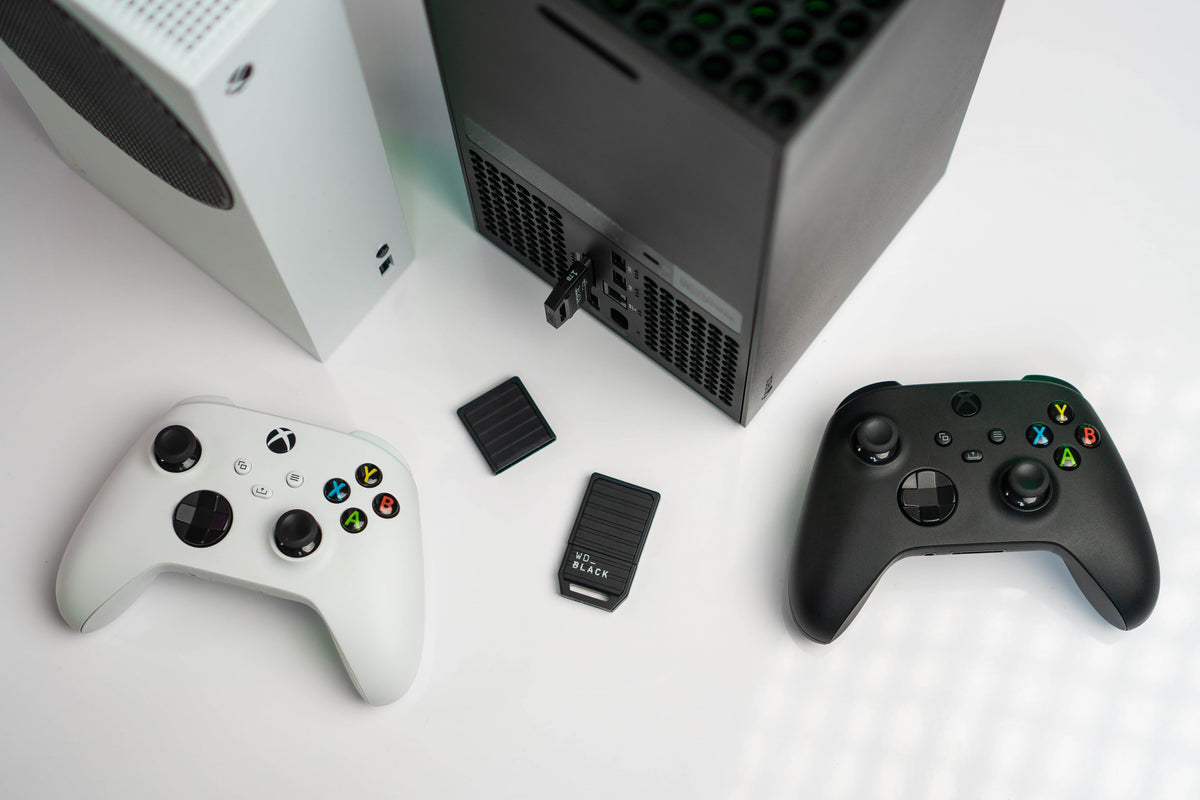
A game can fit on a drive and still refuse to start from it. On Xbox Series X and Series S, that is a useful clue about the console rather than proof that the file disappeared. Storage has two jobs: keeping the installation somewhere, and supplying its data in a form the game can use while it runs.
The difference explains why a small expansion card and a much larger USB drive can solve different problems. Capacity describes how much you can keep. The connection and the software’s requirements help determine what you can launch without moving it first. Understanding that distinction makes a mixed-generation Xbox library easier to live with.
The fast drive became part of the game’s design
In its July 2020 explanation of Xbox Velocity Architecture, Microsoft described storage as part of a coordinated system. The SSD works alongside decompression hardware, a software interface called DirectStorage and a technique for requesting texture data called Sampler Feedback Streaming. The design concerns how information reaches a running game, not just where downloaded files wait.
Microsoft’s argument was that developers could build around predictable, sustained access to data. Read in that context, a storage requirement is more than an arbitrary capacity test. A device can have room for an installation without providing the storage behavior that installation expects. This does not establish that every game uses every part of the architecture, or that buying a card gives every title the same loading time.

A dedicated connector carries a different promise
Microsoft’s September 2020 storage primer introduced the expansion card as a way to extend the console’s fast storage while matching its performance requirements. It connects through the rear Storage Expansion port. Microsoft separately retained USB storage for existing libraries and for holding newer installations that would need transferring before play.
The original primer discusses the launch-era Seagate card. That historical document should not be read as a statement that only one manufacturer can make an expansion card today. The WD_BLACK C50 pictured here is another officially licensed Xbox Series X|S expansion card; its manufacturer documentation identifies the Xbox expansion-slot interface and Xbox Velocity Architecture support.

USB can still be an active part of the library
USB is useful beyond putting finished games out of sight. Microsoft’s primer says supported Xbox One games, including backward-compatible Xbox 360 and original Xbox titles, can run directly from an external USB drive. That qualification matters: storage support does not turn an otherwise incompatible older game into a compatible one.
Seagate’s current USB support page specifies USB 3.0 or later and a capacity of at least 128 GB for game storage. A familiar connector alone does not establish that a particular device meets those requirements. The photograph below illustrates a portable drive, rather than certifying a tested Xbox setup or recommending that exact model.
For a household that regularly returns to supported older games, the USB library can therefore remain part of ordinary play. For an installation that needs fast storage, USB serves a different purpose: keeping the game data available for a later transfer. Those uses can coexist without pretending that the two devices are interchangeable.

The Optimized badge needs a careful qualification
“Every optimized game is impossible to launch from USB” is too absolute. Xbox’s current Smart Delivery FAQ says Optimized for Xbox Series X|S games should be installed on the internal SSD or an expansion card. It also explicitly acknowledges a small number of games with next-generation optimizations that are playable from USB.
That exception is a reason to verify the particular installation, rather than build a shopping decision around an assumed universal rule. We are not supplying a supposedly permanent list of exceptions. The useful distinction remains the actual game’s storage requirement, with the internal SSD or compatible expansion card as the supported fast-storage destination.
Think about the library you want ready tonight
A collection containing several console generations does not have a single storage need. Someone rotating among games that require the fast-storage path has a different practical problem from someone returning to a group of supported Xbox One favorites. Count the games you want immediately available, rather than treating the largest capacity label as the answer.
Moving an installation also deserves a realistic place in the plan. Keeping files on USB can avoid downloading those same files again, but this article promises no transfer time and no freedom from later updates. If a game needs moving before it starts, that step belongs before the moment you intend to play.
The broader change is that a console library now includes different relationships between software and storage. A drive is not merely a container beside the machine. Its role follows the games you keep on it. For the corresponding PlayStation distinctions, see our PS5 storage guide; for a different kind of memory question, read how game saves evolved.
Official explanations and image permissions checked October 17, 2026. The Xbox Wire articles describe the platform’s 2020 design rationale. WD_BLACK images come from Western Digital’s official C50 media kit; featured image © Western Digital. Hardware illustrations are not stock listings or hands-on test results.


