
Your friends are ready for Stardew Valley. The farm exists. Everyone has a perfectly reasonable plan involving crops, fishing and absolutely no arguments over where the chests go. Then somebody cannot join.
Before blaming the connection, check the farm setup. ConcernedApe's own troubleshooting guidance separates the game version, the way the host opened the save, the available cabins and access to a Steam or GOG account. Start by identifying the shared farm and its guest space, then compare versions and invitation symptoms. That gives the group a specific problem to solve.
This guide focuses on ordinary desktop online co-op through Steam or GOG. It is not a setup guide for experimental mobile multiplayer, console subscriptions, split-screen or modified games. Menu references below come from the developer's published desktop guidance.
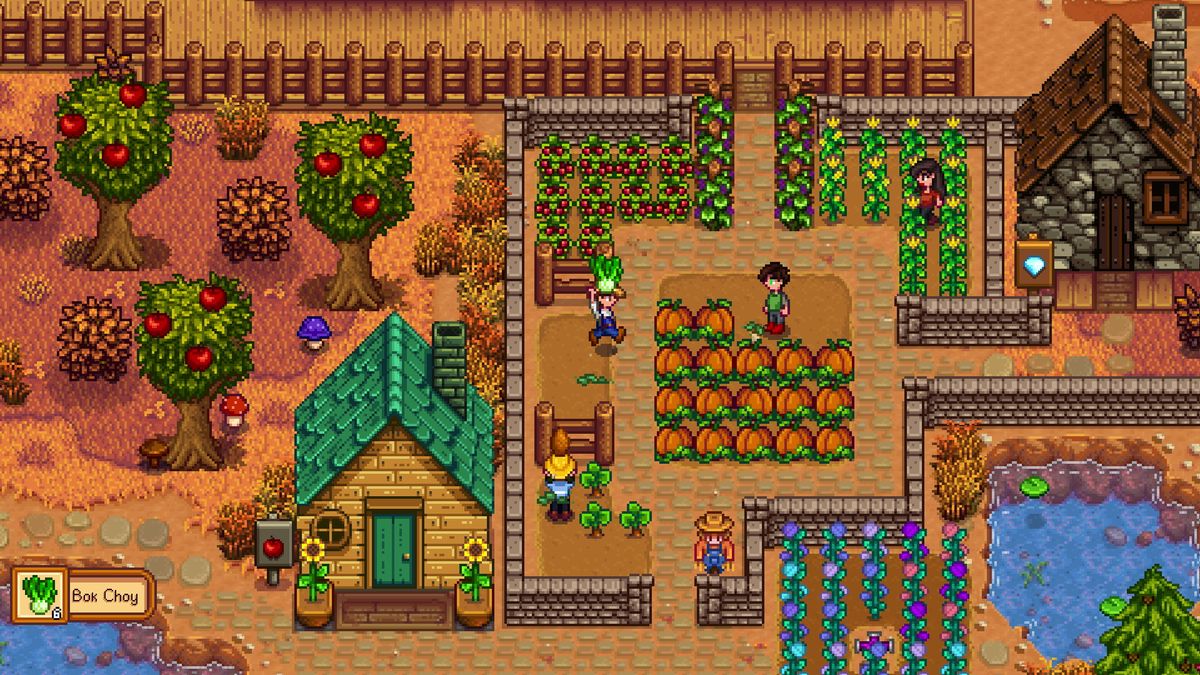
Featured image: four farmers among crops and buildings in an official multiplayer press screenshot. © ConcernedApe. The image illustrates shared farming, not the menus or a particular current build.
Open the farm through Co-op
For hosting, the official troubleshooting guide specifies the title screen's Co-op option, then the Host tab and the intended save. It also says that a missing Multiplayer section in Options indicates the game was not started in multiplayer mode.
That is a useful distinction: opening the right farm and opening it for other players are separate parts of the job. Check the route through the title screen before hunting for a missing invitation control inside the save.
Our suggestion is to have the host describe what they can see while one guest waits. Establish that the correct farm is open through the hosting menu. Then attempt a connection. Everyone offering a different diagnosis at once produces an impressive amount of commentary and very little evidence.

Count cabins, not the size of the farmhouse
The developer's original multiplayer explanation describes adding cabins through Robin to bring other players into an existing single-player farm. A new co-op farm can begin with cabins already placed.
For a small group, the arithmetic is straightforward: one host and one guest need one cabin; one host and two guests need two. These are examples of guest accommodation, not a claim about the maximum player count of every release.
Check the cabins on the farm you are actually hosting. A beautifully expanded main house does not answer whether there is a cabin for the person trying to join. Neither does remembering that you built one on another save. Pelican Town has enough buildings without asking your friend to live in the memory of a different farm.
For a new group farm, decide who will host before everyone starts separate saves. It is easier to agree on one farm name and one host at the beginning than to discover that three people have each prepared a completely different first evening.
Compare the actual versions
The developer's troubleshooting guide requires matching game versions. It directs players to the question-mark button at the lower-right of the title screen, where the version number appears at the lower-left.
Have everybody read that number before changing system settings. “I updated it recently” is useful conversation, but it is not a version number. Copy the displayed value into the group chat and compare it directly.
If they differ, resolve the updates first. That gives the group a clean starting point instead of mixing an update problem with a hosting problem. Keep a note of which computer is hosting, too. The person who suggested game night is not automatically the machine serving the farm.
Missing invite options? Check the account connection
ConcernedApe's desktop guide links missing invite-code or invitation options with the game being unable to access a Steam or GOG account. Its first account check is that the appropriate client is running and signed in.
Keep the symptoms precise. An invitation option being absent is different from an invitation being visible but failing when a friend uses it. Write down which one happens. That detail will make any later support request more useful than “multiplayer is broken.”
Try the ordinary account and host checks before altering network settings. This guide stops at those checks. If the problem continues, use the developer's support guidance for your setup and record the exact error rather than experimenting with unrelated settings.

The host is part of the evening's plan
The original developer explanation also makes the hosting arrangement explicit: the host needs to be in the game for the group to play. Plan around that person's availability before treating the farm as somewhere everybody can visit independently.
A useful message before the session is simple: which farm, which host, which time? After a failed attempt, add the displayed versions, whether the host used Co-op, the guest count and the exact missing option or error. That is enough to turn a vague complaint into something the group can act on.
Bring your next farm to the Zypher shelf
Buy your next physical game from Zypher Trading Video Games. Our Stardew Valley Collector's Edition for Xbox One is a console listing, separate from the desktop setup discussed here. Check its selected condition and contents; a used collector's-edition name does not establish which original extras remain.
Shop Zypher's games, or sell your old games to Zypher. For the farming rhythm rather than connection setup, read our Stardew Valley feature.
Developer sources, press-image provenance and Zypher listing checked November 3, 2026, America/Denver. The 2018 announcement establishes the hosting design, not a current universal player limit. Images are unmodified material from ConcernedApe's official press resources. Troubleshooting order and group-planning suggestions are Zypher editorial advice.


