
Xbox Cloud Gaming is moving from effectively unlimited use for eligible Game Pass subscribers to a monthly allowance in November 2026. The headline is simple, but the practical impact depends on your plan, how often you stream, and whether you already own the games you want to play.
Xbox says the new limits are meant to control the rising cost of longer cloud sessions. It estimates that 4% of Game Pass subscribers will be affected, while also acknowledging that some players will pay more under the new model.
The included hours depend on your Game Pass plan
- Game Pass Ultimate: 15 cloud gaming hours per month
- Game Pass Premium: 10 cloud gaming hours per month
- Game Pass Essential: 5 cloud gaming hours per month
Xbox has not announced an exact November start date. It also has not explained whether unused hours will carry over, so players should not assume that they do. The company says more information will arrive in November, including how to check remaining time.
Buying extra time is part of the new model
After a subscriber uses the hours included with a plan, Xbox says additional cloud playtime will be sold through the Xbox Store. Pricing, package sizes and purchase rules are still unknown. Available hours, features and purchase options may also vary by market.
That missing price matters more than the percentage of subscribers Xbox expects to affect. A player who streams one or two short sessions a week may stay comfortably inside the allowance. Someone using cloud gaming as the main way to play longer games could reach the limit quickly, and there is not yet enough information to calculate the resulting monthly cost.

Cloud play without Game Pass changes the ownership question
The November change is not only a restriction. Xbox also plans to let people without a Game Pass subscription buy cloud playtime and stream eligible games they own on supported devices. That could suit occasional players who want access for a trip, a temporary setup or a specific game without adding another recurring subscription.
There are important limits inside that promise. Xbox has not published the full eligible-game list, supported-market list or price for those hours. Owning an Xbox game will not automatically mean it can be streamed, and a supported device still needs a suitable connection and access in the player's region.
Xbox One owners still get a practical benefit
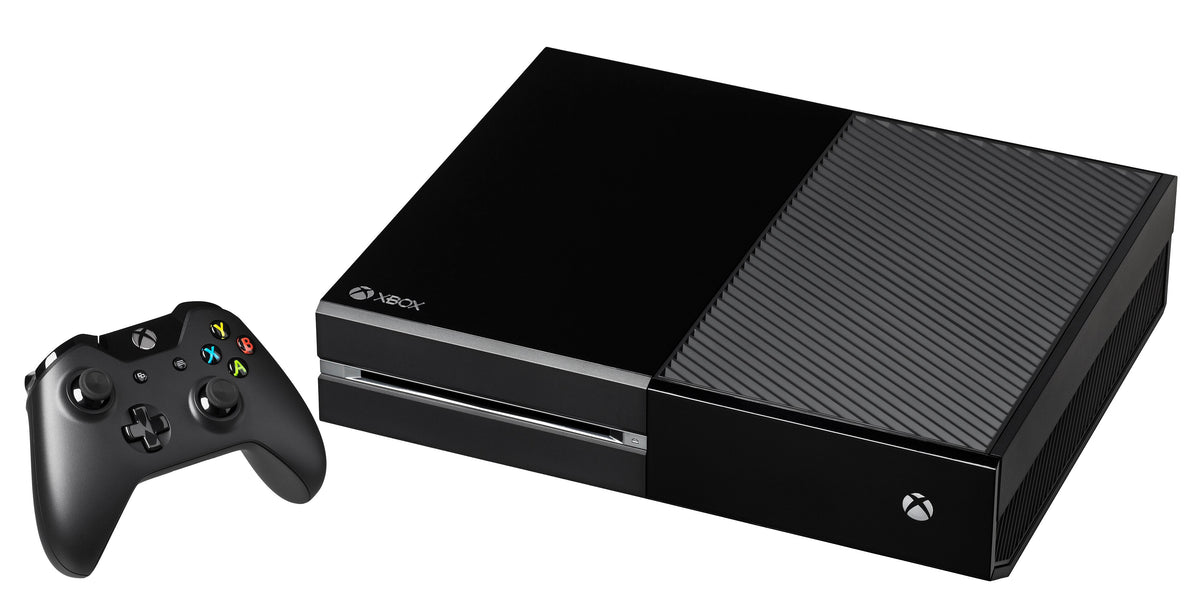
Xbox specifically points to Xbox One owners as a group that can use cloud gaming to reach eligible games built for Xbox Series X|S without immediately replacing the console. That does not turn an Xbox One into a Series system or make every newer game available. It is a streamed access route for titles Xbox enables.
This distinction is worth keeping clear for physical collectors. Cloud access does not make an Xbox One read a Series X disc, and it does not replace the normal disc-compatibility rules covered in our Xbox Series X backward-compatibility guide. The cloud feature is attached to supported digital ownership and service availability, not to the plastic sitting on a shelf.
What to check before November
- Look at your current Game Pass plan and match it to the announced monthly allowance.
- Estimate how many hours you actually stream in a normal month, rather than counting local console play.
- Wait for the official price before deciding whether extra hours are a sensible substitute for a subscription or hardware.
- Verify that the exact game, device and market are supported when Xbox publishes its November details.
- Watch for the promised method of checking remaining time so a long session does not end in a surprise purchase screen.
The policy is confirmed, but the budget question is not. Until Xbox supplies the exact start date, prices and eligibility details, the honest answer is to measure your own cloud use and avoid building a buying decision around numbers that have not been announced.
Media credits
- Featured image: Xbox One console and controller. Photo by Evan-Amos, public domain, via Wikimedia Commons. No changes made.
- Xbox Series S: photo by AsmodeanUnderscore, CC BY 4.0, via Wikimedia Commons. The Commons source file was cropped by its uploader before this use; Zypher made no further changes.
Source
- Team Xbox: Upcoming Changes to Xbox Cloud Gaming, published September 3, 2026
Zypher XP checked the official announcement, image permissions and archive overlap on October 10, 2026. This is a source-based service explainer, not a hands-on test of cloud performance.


.png)
