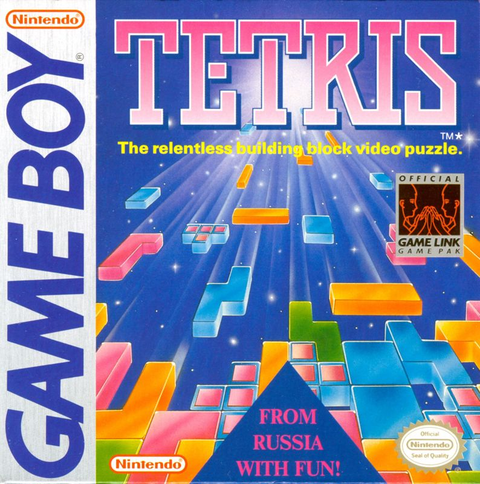
Want to turn Tetris for the original Game Boy into a two-player argument? Start with the cartridges and the cable. A seller’s “Game Boy compatible” description needs a little more detail before it earns a place in your shopping cart.
This guide covers the original Nintendo Game Boy Tetris cartridge and its wired two-player mode. Tetris DX and other Tetris releases need their own edition checks. A familiar logo is not a multiplayer compatibility certificate.
Featured photograph: an official Nintendo Game Link cable with a smaller connector at one end and large/small connector options at the other. Photo by Evan-Amos, released into the public domain. Image source and rights.
Build the setup around the game you are actually playing
Write down three things before buying anything: the exact game on each cartridge, the model of each handheld and the cable’s stated software compatibility. Ask for readable photographs of the labels and both cable ends. A photograph of the middle of a coiled cable tells you that the seller owns a cable. Congratulations to the cable.
Nintendo’s original Tetris instruction booklet calls for two Game Boys, two Tetris Game Paks and one Game Link cable. Budget for the entire pair of setups. A single cartridge is not enough for this mode.
If you already own one working handheld and one copy, identify those first. Buying the second half to match an existing setup is easier than buying several vaguely described items and hoping they become friends.
Older cartridge, older cable rules
The Game Boy Advance name creates the trap here. Nintendo’s GBA Game Link cable manual says that cable is for GBA software on GBA and GBA SP hardware. For original Game Boy or Game Boy Color cartridges, it directs players to the Game Boy Universal Game Link Cable Set instead.
That distinction follows the software. Running an older cartridge on a newer handheld does not turn it into a GBA game. When a listing says “for Advance,” ask whether it means the handheld’s socket or the generation of games the cable supports.

The GBA SP manual also describes the Universal set for supported older two-player games. It includes an adapter for the original Game Boy’s larger connector. Nintendo cautions that a few older two-player games may not work properly across the hardware generations, so this is not a promise that every old link game works in every mixed pairing.
Match both ends before paying
Nintendo’s Universal cable support page distinguishes large and small EXT sockets. Compare the actual sockets on your two handhelds with the actual ends being sold. “Includes adapter” is useful only when the photographed adapter solves your particular connection.

For a GBA SP, the manual identifies EXT. 1 as the link connection. Use the model’s diagram rather than guessing from a photograph of another handheld. If the plug shape does not match, stop and recheck the equipment. Compare the plug and socket again before trying to connect them.
Start the original two-player mode
The original booklet gives this sequence:
- With both systems off, insert both cartridges and connect the correct cable.
- Power on. Wait for both title screens, then choose 2-PLAYER and press START on one unit.
- That unit becomes Mario; the other becomes Luigi. Mario selects music and starts play from the HIGH handicap screen using START.
If a disconnected and reinserted cable stops play, turn both systems off and repeat setup. Do not keep unplugging it during the match.
Why bother with the second cartridge?
Two-player Tetris adds direct interference: a double sends one line, a triple sends two, and a four-line Tetris sends four. Win a game by clearing 30 lines first or topping out the opponent; four game wins take the match.
Our take: that makes a saved long piece a social problem. You can chase your own finish while threatening the other well. Decide whether you want a clean race or an evening of suspicious glances across two small screens.
Buy the game, check the extras
Start with Zypher’s Tetris for Nintendo Game Boy listing. Read the current condition and included contents. A cartridge listing does not automatically include a second copy, two handhelds or the cable pictured in this guide.
Buy your next game from Zypher: shop our games, or sell your old games to Zypher. For broader hardware questions, see our Game Boy compatibility guide.
Nintendo manuals, support pages, image rights and the native Zypher listing checked October 28, 2026. Setup guidance is based on those documents; no firsthand test of a particular used cable or mixed-system pair is claimed.