A used Wii Remote can look spotless, light up on command, and still turn game night into a troubleshooting seminar. Before paying for one, test the whole controller: battery bay, sync, pointer, motion, buttons, speaker, rumble, extension port, strap, and jacket. The blue lights are an introduction, not a complete inspection.
This checklist is for original Nintendo Wii Remotes and Wii Remote Plus controllers. Bring a Wii with a known-good Sensor Bar, fresh AA batteries, and at least one compatible game. Change one variable at a time so a bad cable or tired battery pack does not frame an innocent controller.
First, identify the controller you are buying
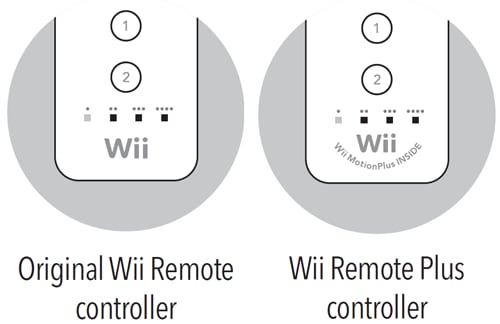
Nintendo's official identification guide gives two useful checks. The original Wii Remote is model RVL-003. The Wii Remote Plus is RVL-036 and carries the words Wii MotionPlus INSIDE below the Wii logo. That printed line matters when a game requires MotionPlus and the seller's description is doing its best impression of fog.
An original RVL-003 can use the separate Wii MotionPlus accessory. A Remote Plus has that technology built in, according to Nintendo's controller manual. Check the model and label yourself instead of treating shell color as a specification.
The battery bay decides whether testing should continue
Remove the jacket and battery cover. Look for white, blue, or green residue around the contacts, dark staining, bent terminals, cracked plastic, and a missing sync button. A little exterior grime is a cleaning job. Corrosion inside the battery compartment can become an electrical repair.

Nintendo says to insert two AA batteries using the polarity guides, with the negative end first. Its Wii Remote Plus manual also warns against leaving batteries installed through long periods of non-use. Fresh batteries remove one convenient excuse when you start the functional tests.
A clean sync is the baseline, not the verdict
Turn on the Wii, open the console's SD Card Slot cover, then press and release the remote's red SYNC button. While its lights are blinking, press and release the console's red SYNC button. Nintendo says syncing is complete when the blinking stops and one player LED remains lit.

A remote that will not stay paired after fresh batteries deserves more investigation. Do not stop at the LEDs, though. Pairing proves that the console and controller can establish a connection. It does not prove the pointer, motion sensor, buttons, speaker, or extension port.
Buttons reveal the wear a clean shell can hide
Open the Wii Menu and check the Power, A, B, Home, Plus, Minus, 1, 2, and directional buttons. Press each direction separately. Look for inputs that stick, double-register, or require extra force. A button that works only when pressed like an arcade cabinet owes you a repair discount.
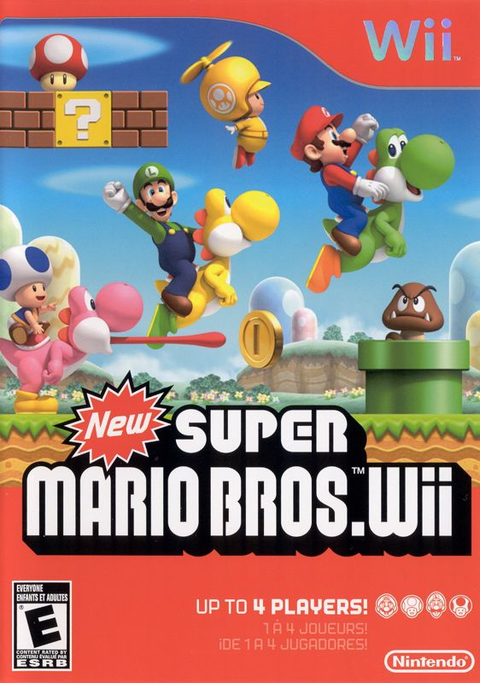
A game such as New Super Mario Bros. Wii is useful for checking the sideways grip, D-pad, 1 and 2 buttons. Zypher's listing is for the game itself; it does not include a Wii Remote unless the product page explicitly says so.

Test the pointer with a known-good room setup
At the Wii Menu, aim at the screen and move the pointer across the full display. Check for dropouts, sudden jumps, or a cursor that disappears at ordinary playing distance. Use a Sensor Bar and room setup that already work with another remote. Otherwise you are testing two unknowns at once, which is how simple problems start wearing fake mustaches.
If the player light is steady but there is no pointer, use Zypher XP's Sensor Bar troubleshooting guide before blaming the remote. It covers bar placement, infrared interference, sensitivity, and the camera test. This buying checklist focuses on the controller; the earlier guide isolates the pointing setup.
Motion needs the right software and a fair test
Launch a motion-controlled game and verify that deliberate tilts and swings produce consistent responses. For a Wii Remote Plus, choose software that supports MotionPlus when possible. Nintendo says the Remote Plus works with standard Wii games and MotionPlus games without the separate attachment.
Do not diagnose motion from a single wild swing. The Remote Plus manual says calibration can be affected by a battery change during play or by moving the controller between cold and warm environments. Nintendo's recalibration instruction is to place the controller button-side down on a flat horizontal surface, at least 20 inches from the television and console, then wait a few seconds during gameplay.
Speaker and rumble need confirmed test scenes
Use a title or Wii menu function known to support the feature, then listen for clean speaker audio and feel for rumble. Nintendo notes that not every game uses the Wii Remote's built-in speaker, so silence in one random scene proves very little. Crackling, intermittent sound, or no response across a confirmed test is useful evidence.
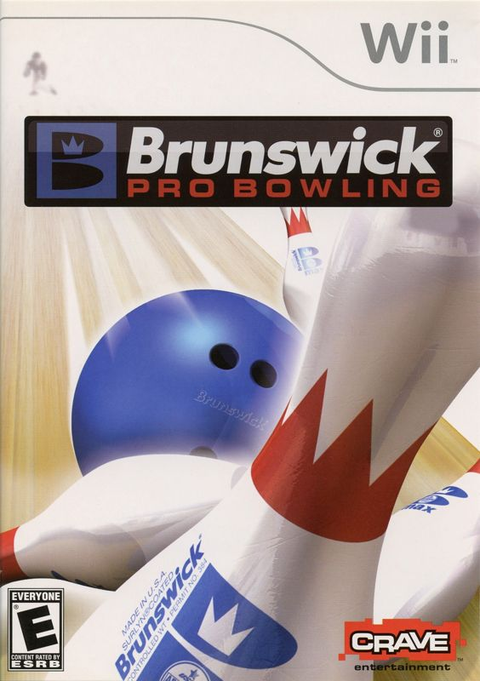
For motion-heavy play, Brunswick Pro Bowling gives the remote a more relevant workout than clicking through menus. It is a game listing, not a controller bundle. Verify the actual product condition and contents before checkout.

The extension port, strap, and jacket complete the controller
Connect a known-working Nunchuk and verify its stick, C button, Z button, and in-game response. Inspect the Wii Remote's bottom port for bent contacts, looseness, or debris. If a listing includes a Nunchuk, test that accessory separately too. One working piece does not grant diplomatic immunity to the other.
Check that the wrist strap is present, its lock holds, and the jacket fits without blocking the front of the controller. Nintendo's Wii Remote Plus manual tells players to use the strap and jacket during play. These pieces are safety equipment, not decorative leftovers for the box.
The five-minute decision
- Confirm RVL-003 or RVL-036 and check the printed label.
- Inspect the battery contacts, cover, shell, strap, jacket, and extension port.
- Install fresh batteries and complete a standard sync.
- Test every button, pointer movement, motion, speaker, rumble, and a Nunchuk.
- Record any fault before comparing price and condition.
A good used Wii Remote should pass as a complete controller, not merely as an object capable of blinking. Shop Zypher's Nintendo Wii collection for compatible games, read each listing for exact contents and condition, and add the controller hardware separately when needed. Clearing out duplicates or an old console shelf? Check the Zypher Buy List when an exact title is eligible, or sell your old games to Zypher.
Sources and image credits
- Nintendo Support: How to Identify a Wii Remote Plus, checked October 24, 2026.
- Nintendo Support: How to Install or Change the Batteries in a Wii Remote, checked October 24, 2026.
- Nintendo Support: How to Sync a Wii Remote with a Wii Console, checked October 24, 2026.
- Nintendo Wii Remote Plus Operations Manual, checked October 24, 2026.
- Featured image and two diagrams are official Nintendo support assets from the sources above. Catalog images belong to their corresponding Zypher product records.