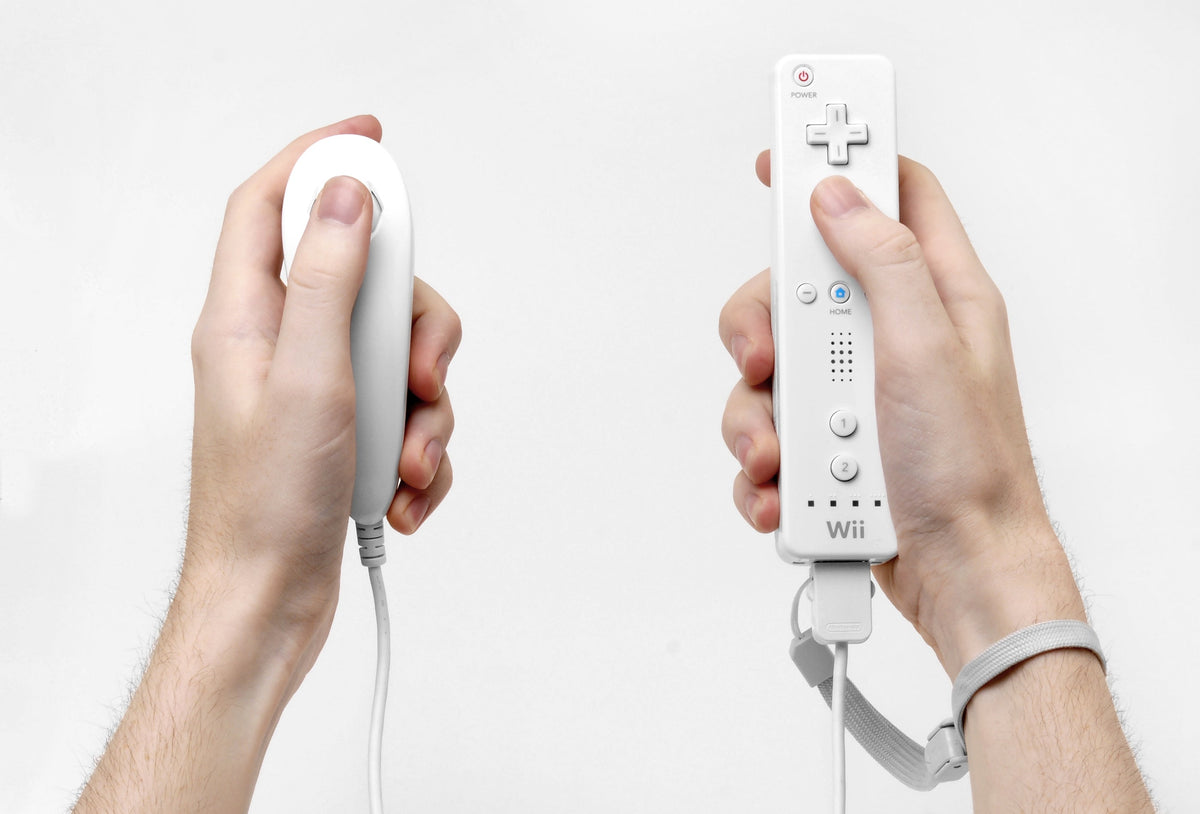
Your Wii character keeps walking after your thumb leaves the Nunchuk stick. Before ordering another accessory, check whether the controller learned the wrong resting position. Nintendo documented that problem, and its reset takes three seconds. The character does not get to choose its own exercise routine quite yet.
This guide separates unwanted movement from a Nunchuk that is not responding at all. It covers Nintendo's original wired Nunchuk and Wii Remote setup. Third-party accessories need their own instructions. A neutral-position reset is a useful check, not proof that worn or damaged hardware has been repaired.
Start in a game that actually uses the Nunchuk
The Wii Menu is a poor place to test this accessory. Nintendo's support article says the Nunchuk does not navigate the console's menus and settings. It identifies Boxing in the original Wii Sports as a suitable response test. Check the software's accessory requirements and enter the supported mode before deciding that silence means failure.
Write down what happens. Does the character move while the stick is untouched? Does the stick respond in only one direction? Do C and Z work where the game assigns them actions? Those are different observations. “Nunchuk broken” throws away most of the information you need for the next check.
Reset the resting position without touching the stick
Nintendo's Wii Operations Manual, printed page 7, explains that an off-center stick can be registered as neutral during startup or connection. Its reset is:
- Let the Nunchuk Control Stick return to its untouched middle position.
- On the connected Wii Remote, hold A, B, Plus (+) and Minus (-) together for three seconds.
- Release the buttons and repeat the same in-game movement test.
Keep your thumb clear during the reset. You are establishing the resting position, so holding the stick in a direction works against the purpose of the check. Use the four buttons on the Remote, not the Nunchuk's C and Z buttons.
A good result is specific: the character now stays still with the stick released and responds when you move it. If unwanted movement remains, record that too. Repeating the reset indefinitely does not turn a failed test into a diagnosis.

Avoid setting a new center by accident
The manual says to leave the stick alone when powering on the Wii, connecting the Nunchuk, starting a Channel or returning to the Wii Menu. Set the accessory down with the stick free during those transitions. A thumb resting casually against it can be part of the problem.
For your next test, keep everything else the same. Use the same game mode, Remote and Nunchuk, with the stick untouched during startup. That comparison is more useful than changing batteries, software and both controllers at once, then wondering which change mattered.
Check the connection without pulling on the cable
The manual's printed pages 25–26 show the attachment: run the wrist-strap cord through the connector hook, then seat the Nunchuk plug until it clicks. For removal, squeeze the plug's release levers and pull the plug straight out. Keep using the wrist strap as directed.
Look at the plug and cable before reconnecting. A split jacket, damaged plug or loose connection deserves to be documented. This guide does not prescribe internal cleaning or opening the shell. For the separate job of examining the Remote itself, use our used Wii Remote checklist.
If it still fails, change one part
Nintendo recommends fresh Remote batteries and, where possible, trying a second Nunchuk or another Remote. Its guidance points toward the Remote's extension port when several Nunchuks fail on that Remote, or the original accessory works on another one.
| Observation | Useful next step |
|---|---|
| Movement stops after the neutral reset | Repeat the same test after a normal startup with the stick untouched. |
| The accessory works on another Remote | Keep a record of which Remote produced the fault. |
| No second controller is available | Leave the faulty part unconfirmed rather than calling both pieces defective. |
That last result is still useful when buying used hardware. Ask which game mode was tested and whether the seller tried another Remote. A demonstration with the actual accessory answers more than a photograph of its shell.
Put the working setup to use with Zypher
Shop Zypher's Wii game collection. Check our original Wii Sports listing or browse Nintendo Wii games. Read the platform, condition and included items. A game listing does not imply that a Remote or Nunchuk comes with it.
Clearing room for the next game night? Sell your old games to Zypher.
Manufacturer instructions, media provenance and store links checked October 26, 2026. Featured photograph: Evan-Amos, public domain. The featured grip photograph does not illustrate the neutral reset: remove your thumb from the stick for that check. Both photographs illustrate original hardware; no new Zypher test, internal repair or guaranteed fix is claimed.