

Featured photograph: the underside of a closed black European DS Lite, with SLOT-1 and SLOT-2 labels visible. Photo by ITEagle Europe - Sebastiaan Broekhoven, Wikimedia Commons, CC BY-SA 4.0. Resized for web display; no other editorial changes.
Closing a DS Lite is not the same as switching it off. That distinction matters when you change a Nintendo DS game card. A dark pair of screens can make the handheld look finished for the moment, but the lid is not the power control.
This is a handling guide for an unmodified Nintendo DS Lite and ordinary Nintendo DS Game Cards. It focuses on the small routine between games: identifying the correct slot, seating the card and removing it without improvising. For platform and region questions, use Zypher's separate DS and 3DS compatibility guide.
Finish the session before changing the card
Our recommendation is to save by the game's own instructions before ending a session. Make that a separate step from handling the hardware. You want to know that you finished saving, rather than discover later that you were relying on an assumption about the last screen you saw.
Nintendo's DS Lite instruction booklet, printed pages 14-15 says closing the powered-on handheld puts it into Sleep Mode; it continues consuming power. The card-removal instructions separately require turning the system off. Folding the lid shut does not complete that instruction.
The same booklet identifies the Power Indicator LED and says to hold the Power Button upward briefly to switch off. Use the power control and check the indicator rather than judging by the closed lid.
For a shared handheld, say out loud that you are finished before changing games. It is a small habit that prevents one person treating a paused session as permission to remove somebody else's card. The hinge has many useful jobs. Reading your sibling's intentions is asking a little much.

Match the card to SLOT-1
The manual identifies the rear SLOT-1 as the Nintendo DS Game Card slot. Its front SLOT-2 is for Game Boy Advance Game Paks and supported accessories. Those are separate openings for different hardware.
Place the game you intend to use beside the handheld and identify it before inserting anything. That is especially useful when several small cartridges have been left together. A familiar Nintendo logo is not a substitute for reading the software family.
If something feels wrong, stop and check what you are holding. The goal is to identify the mismatch before it becomes a test of how much force a slot will tolerate.
Check, orient and seat the card
Nintendo's DS and DS Lite precautions require power-off and insertion without force. The booklet also directs owners to check for foreign material and verify orientation. For DS Lite insertion, the system must be off; the label faces the bottom of the handheld, and a gentle but firm push seats the card with a click.
Turn those instructions into a repeatable check rather than a hurried motion. Inspect in good light, identify the label side and line up the card before pressing. This is not a contact-cleaning procedure. It does not call for a solvent, scraping tool or work inside the slot.
If you see material you cannot safely identify or a damaged part, stop and show a repairer what you found. Repeated insertion is a poor substitute for understanding why a card will not sit correctly.
Release the card instead of pulling against it
For removal, Nintendo says to power off, then push the DS card inward until it clicks; the mechanism ejects it partway. Take it from that released position.
Our practical suggestion is to prepare somewhere to put the card before releasing it. A clear space and the correct case reduce the chance of setting a tiny game down among unrelated tools or paperwork. Put that game away before picking up the next one, so the loose cards do not become a matching exercise later.
If the mechanism does not behave as described, stop instead of pulling harder. Tell a repairer whether the card moves inward, clicks or releases. That gives them something concrete to inspect without turning a simple card change into an improvised repair.
Choose the next DS game at Zypher
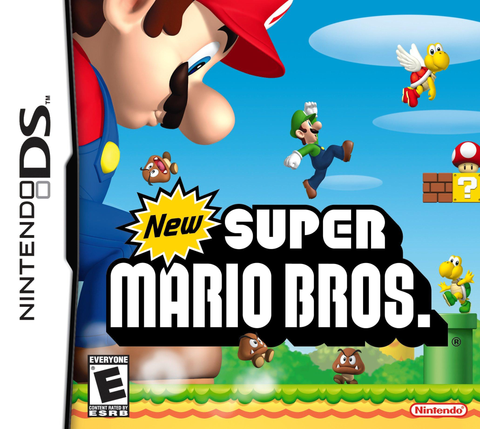
Looking for another card? Check New Super Mario Bros. for Nintendo DS at Zypher. Read the selected copy's condition and included contents; a game listing does not automatically include a handheld, charger or stylus.
Buy your next physical game from Zypher Trading Video Games. Browse our game selection, or sell your old games to Zypher when it is time to reorganize the shelf.
Checked October 30, 2026 against Nintendo's DS Lite instruction booklet, particularly printed pages 4 and 14-15. The linked booklet is the Australian edition; the photographs show a European model. This guide does not establish software-region compatibility. Organizational suggestions are Zypher editorial advice.


_-_rear_view_(closed).jpg)
_-_top_view_(closed).jpg)